
The brief
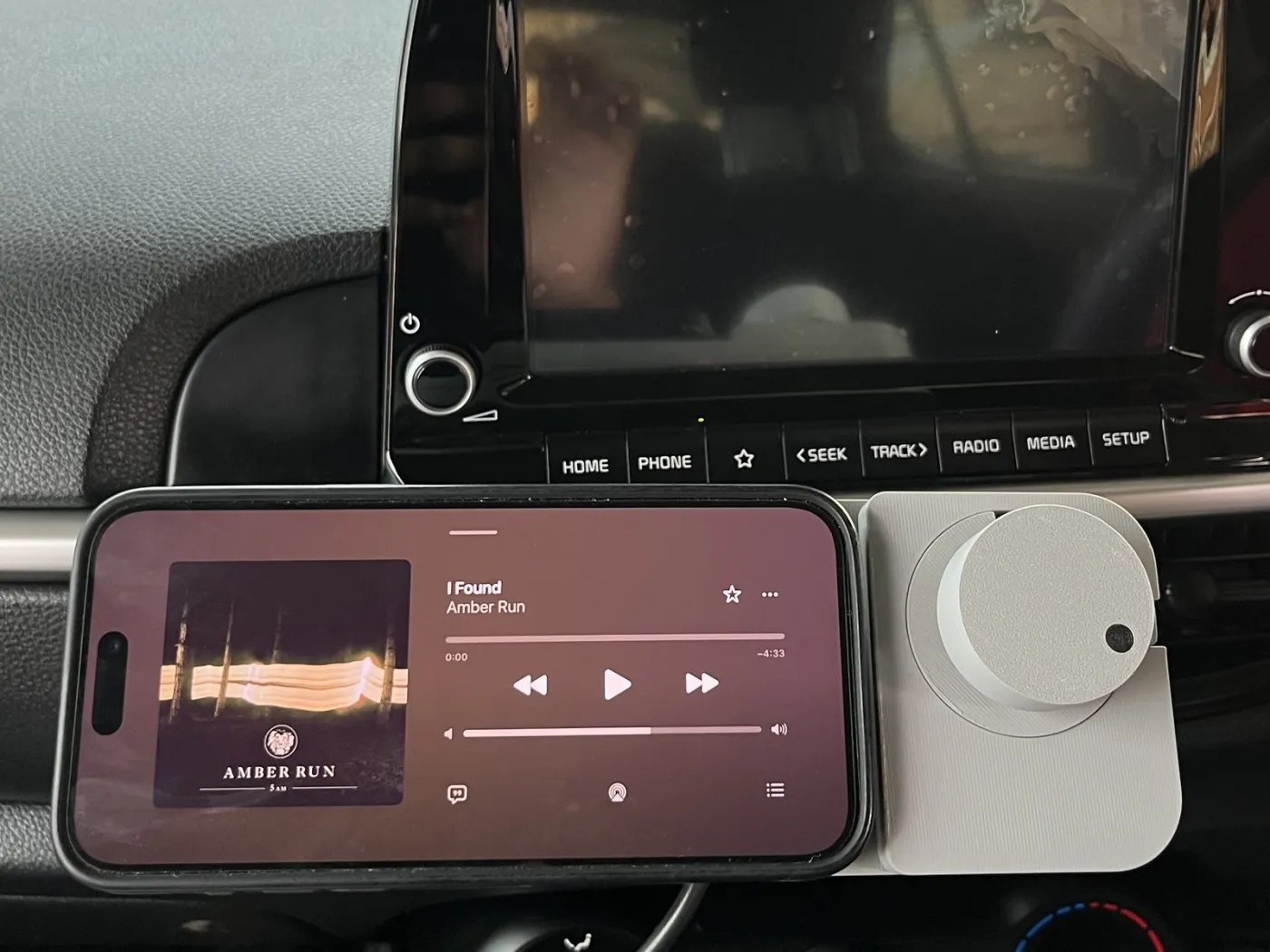
Many cars on the road have no CarPlay or Android Auto. The music comes from a phone in a dash mount, and every change means looking away from the road to find a small target on a bright screen. The ER Knob, the haptic car knob by Engineers Republic, puts a physical control next to the phone: turn it for volume, press it to play or pause, turn it against a spring to skip a track, all by feel.
Engineers Republic is the hardware company that grew out of KSE Labs, and the Knob is the kind of build our clients ask about: a Bluetooth device with a companion app. We wrote its firmware, designed its Bluetooth link and built the app. This case study covers the device; the companion app has its own. Four requirements shaped the firmware:
- No setup on the phone: it has to work with any music or podcast app, on iPhone and Android, with nothing to install.
- A feel that can change: firm clicks for volume, a spring for skipping tracks, hard stops where they help.
- Built for a car: it reconnects by itself when the car starts, and never needs a cable to update.
- The app is optional: everything the knob needs to work lives on the knob.
What's inside
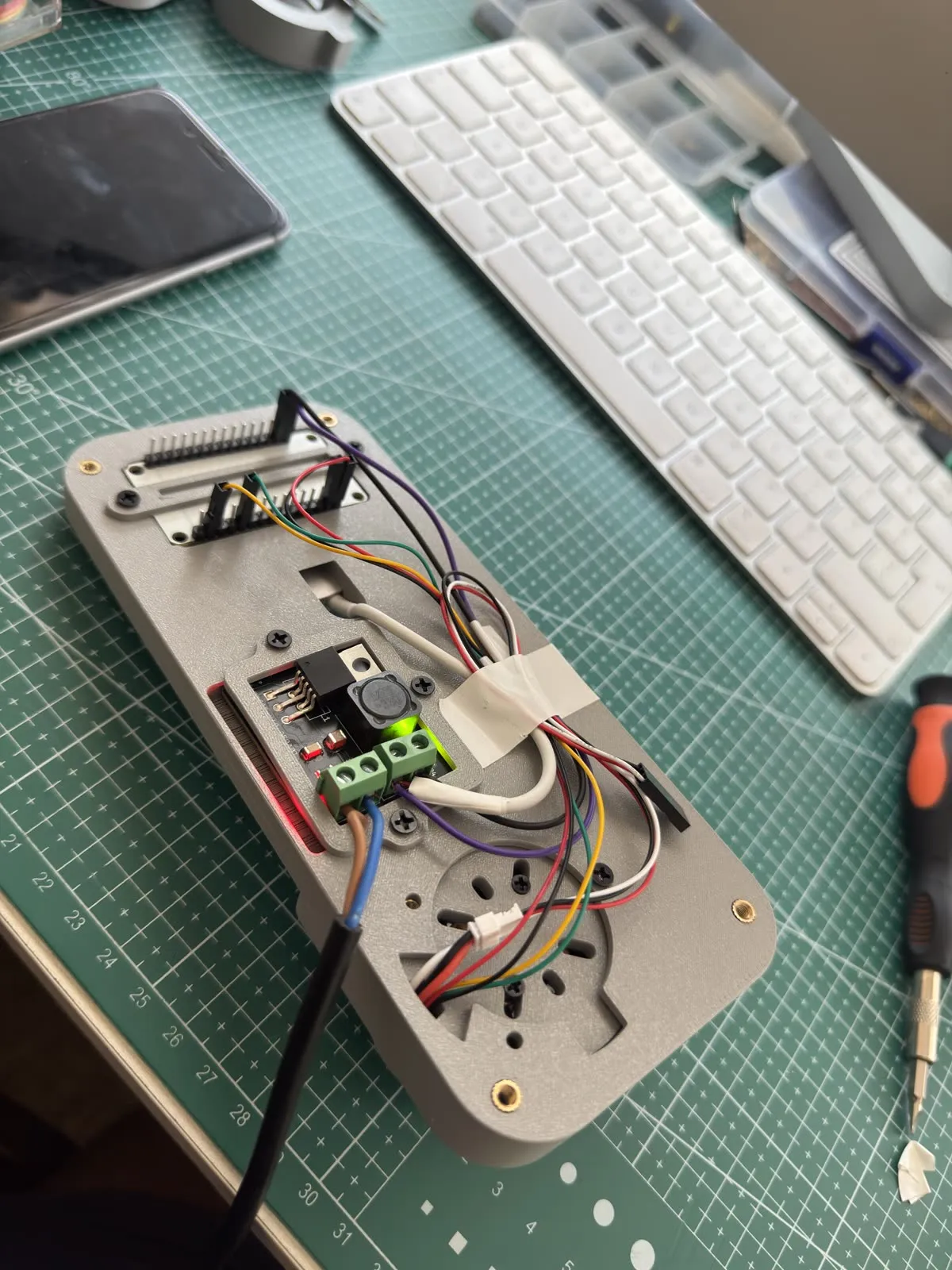
Under the cap is a small brushless gimbal motor, with a 12-bit magnetic angle sensor reading a magnet on its shaft. A motor driver sits between the motor and a dual-core ESP32 microcontroller, which runs everything else: the motor, the haptics, Bluetooth and updates. The phone snaps onto a magnetic puck beside the knob, and the body is 3D-printed, designed in Fusion 360.
Clicks made by a motor
A mechanical knob gets its clicks from a spring and a ball bearing, and they never change. The Knob's firmware runs field-oriented control in torque mode: at every moment it decides how hard the motor pushes, and which way, from where the knob is.
That makes a "feel" a function from angle to torque. Detents pull towards the nearest of a set of positions, 24 per turn by default, so you feel a click as you pass each one. A spring pulls back to centre, and pushing past a threshold (30 degrees by default) skips to the next or previous track. End stops are steep walls of torque, so a volume dial can stop hard at silent and at full. There's also a smooth feel, with no clicks at all. One engine runs every feel, and the app can change any of them without new firmware.
Two cores, one deadline
The ESP32 has two cores, and the split is deliberate: one runs the sensor and the torque loop, the other runs Bluetooth. Radio traffic comes in bursts, and a torque loop that misses its deadline is something you feel in your fingers. The sensor is read with a short timeout too, so a loose wire costs a few milliseconds rather than a frozen knob.
Hunting, and a fix we reverted
The first detents hunted. At the bottom of a click, sensor noise and friction kept the motor nudging the knob back and forth, so a knob at rest buzzed. The fix was a small dead zone at the centre of every detent, where the motor doesn't push at all. The knob settles, and the click still feels crisp, because the pull comes back as soon as you leave the dead zone.
The next idea was to smooth the sensor reading with a low-pass filter, and it made things worse. A filter adds delay, and delay inside the loop that sets the torque turns a steady knob into one that oscillates. We reverted it and kept two rules: never filter the signal that feeds the torque loop, and change one thing at a time on the bench.
Bring-up on the bench
The firmware has a few commands for the bench, over the USB serial port: a spin test that drives the motor without the sensor in the loop and reports what the sensor saw, a recalibration, and a move to any step. They paid for themselves during bring-up. When the motor wouldn't move, the spin test reported zero degrees of travel, which put the fault in the driver's wiring rather than the code.
Calibration matters more than it sounds. Field-oriented control needs to know how the motor's electrical angle lines up with the sensor's reading. The firmware measures that once and stores it, and after a hardware change a stale calibration makes the knob feel stiff and lumpy. So the app has a button that runs it again.
One Bluetooth link, two jobs
The knob talks to two things: the phone's operating system, which plays the music, and the companion app, which changes the feel. It does both over a single Bluetooth Low Energy connection.
To the operating system, the knob is a keyboard with only media keys: a standard HID consumer-control device that sends volume up and down, play and pause, next and previous. iOS and Android both understand that without any help, which is how the knob works with every music and podcast app with nothing installed.
To the app, it offers a private GATT service. The knob streams its state: angle, step, active profile and whether it's pressed. The app reads and writes the knob's profiles as a small JSON document, which is split across Bluetooth packets, then reassembled and acknowledged on the knob. A separate preview channel takes changes without saving them, so a slider in the app is felt in the knob while it's still moving.
Late keys are worse than lost ones
Bluetooth in a car is noisy, and a phone can be slow to accept a key. Early on, a quick turn could queue up volume steps that arrived seconds later, so the volume kept climbing after your hand had stopped. The firmware now sends each step to every connected phone with retries, but drops any step it can't deliver within 250 milliseconds. A small deadband on the angle also stops sensor noise at the edge of a detent from sending keys by itself.
Never stuck in a mode nobody hears
A few features only work while the app is running, such as scrubbing through a track. For those, the app holds a lease on the knob and renews it every two seconds. If the knob hasn't heard from the app in six, it drops back to plain media keys. Whatever happens to the phone or the app, the knob keeps controlling the music.
A knob that turns itself
Because the motor can push as well as resist, the knob can move on its own, and the firmware takes a command for it: go to a given step. It doesn't snap there. It moves a target along a path at a steady speed and holds the knob to it with a virtual spring and damper, at a capped voltage, so the motion is smooth and never violent. If a hand is holding the knob, it stops pushing and gives way, and it gives up after three seconds whatever happens. The app uses this to keep a volume dial matched to the phone's volume, which is a harder problem than it sounds; the app case study covers it.
Updates over the air, safely
A knob mounted on a dash shouldn't need a laptop and a cable to update. The app sends new firmware over the same Bluetooth link, in windows the knob acknowledges, so a dropped packet is sent again rather than corrupting the image. Each image carries a tag naming the hardware it's for and its version, plus a checksum: the app refuses a file meant for other hardware, and the knob checks the checksum before it will boot the new image.
The new firmware goes into the ESP32's spare app partition, so the working version is never overwritten while the update is in flight. After its first boot, the new firmware has to confirm that it's healthy; if it doesn't, the bootloader rolls back to the version that worked.
Tested without the hardware
The feel engine, the protocol and the update logic are plain C++ that builds for the ESP32 and also on a laptop, where a test suite runs them with no hardware attached. Both ends of the Bluetooth link follow one written protocol specification, and the firmware's tests and the app's tests check the same byte-level fixtures, so the two can't quietly drift apart. Hardware time on the bench goes on the things only hardware can show: how it feels.
Where it stands
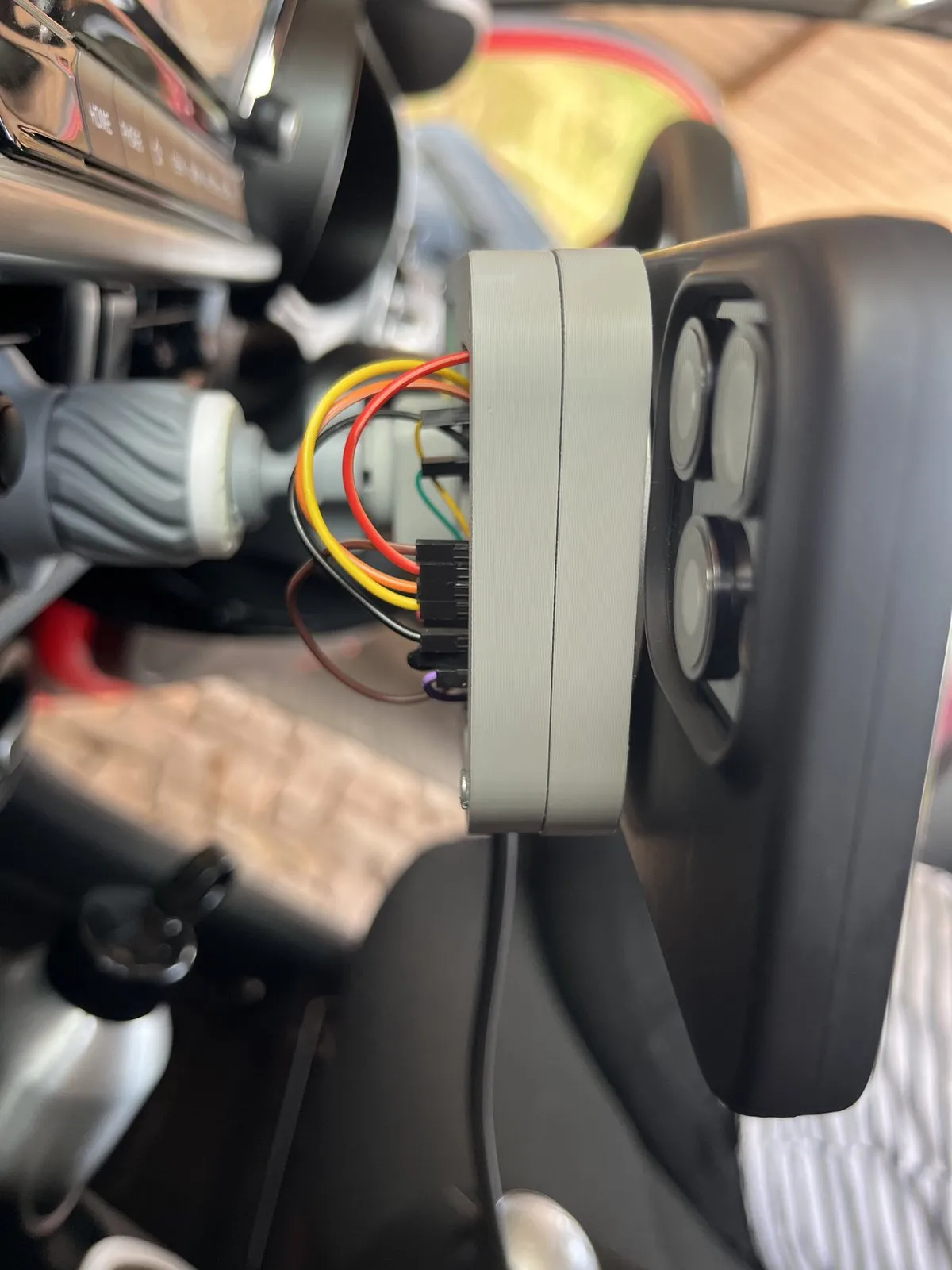
The Knob is a working prototype, in daily use in a car. The 3D-printed body, the magnetic phone puck, the haptic firmware and the app are done. Power from the car is being finalised, and like any Bluetooth product it needs radio approval before it can be sold. Until then, Engineers Republic is taking sign-ups on the ER Knob waitlist. For the other half of the build, read how we built the Flutter companion app.
Building a device that needs firmware?
Motor control, Bluetooth and safe updates are where hardware projects tend to stall. If your device needs firmware that holds up outside the lab, and an app to go with it, that's exactly the kind of build we take on, from the circuit board to the app store.
Talk Through Your Build